
Case study
Garage Automation
A custom vehicle operations platform for Makkah Autosales
- Vehicle intake
- Work orders
- Parts & vendors
- Purchase orders
- Labor
The problem
Each vehicle in the garage may need an inspection, several repair jobs, parts requests, vendor purchases, purchase orders, technician labor, third-party repairs, photos, documents, final quality checks, sale information and warranty information.
Before the system, all of this could easily become fragmented across separate processes. The goal was to connect it into one vehicle-centred workflow, so staff can see what is happening with every vehicle — and what action is required next.
The vehicle lifecycle
- Inspection
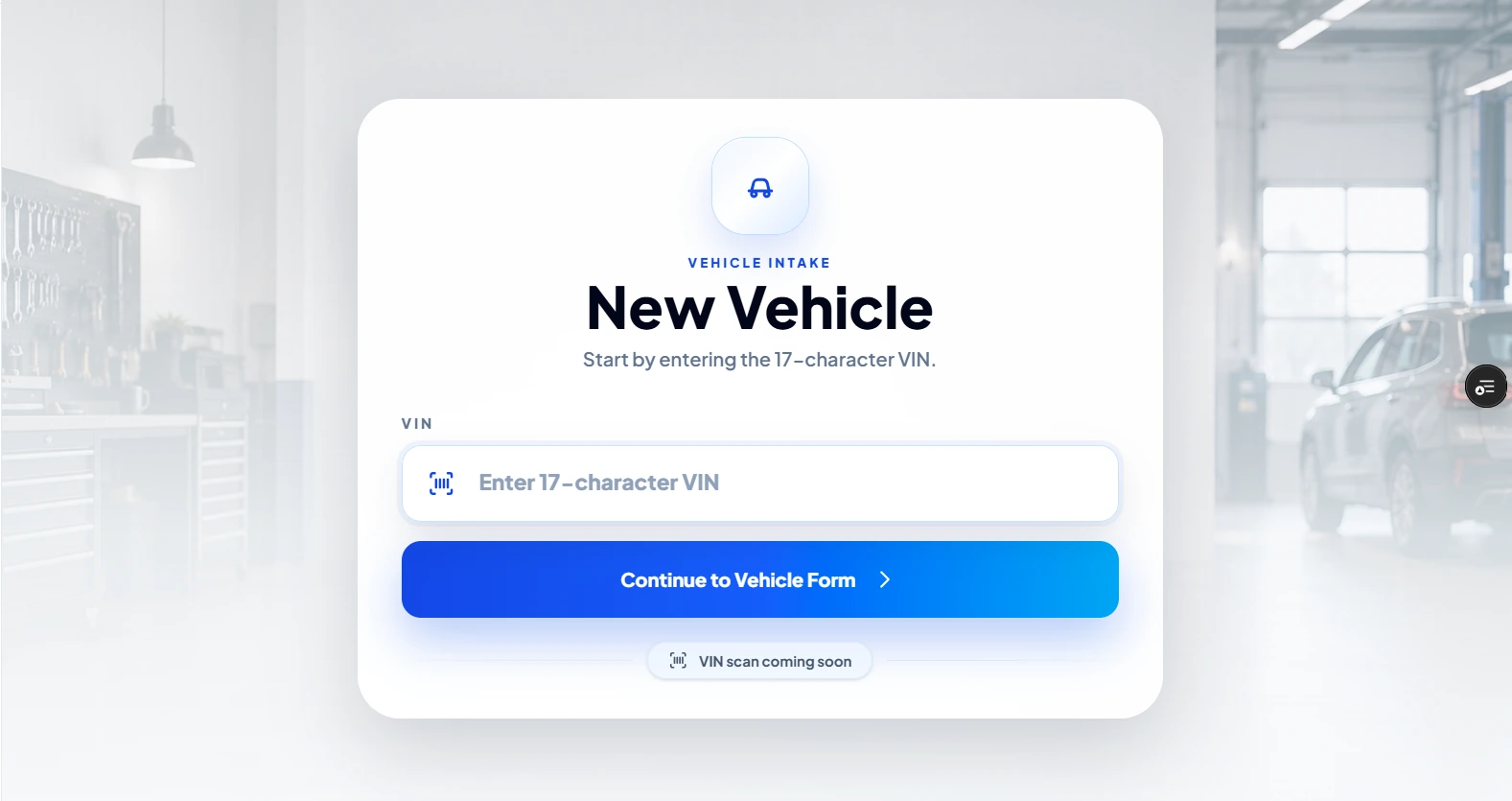
Every new vehicle starts here, after a structured intake with VIN validation and an automatically generated stock number.
- Repair
The first work order, required part or third-party repair moves the vehicle into Repair.
- Quality Check
The first final-checklist action starts a deliberate quality-control step.
- Ready for Sale
Only a completed final checklist makes a vehicle ready — not just closed repair jobs.
- Sold
Recording a sale replaces the Ready for Sale badge with Sold.
What we built
- Intake & VIN validation
- VIN, year, make, model, trim, colour, mileage and a main photo; VINs are validated (17 characters, uppercase, no duplicates) and stock numbers are generated in sequence — STK-1, STK-2, STK-3.
- Work orders
- Repairs connected to each vehicle, by service category and priority, with statuses that move on their own — Needed, Parts Needed, Waiting Parts, In Progress, Completed.
- Parts queue
- One centralised queue — Needs PO, Ordered, Received, Returned, In-House, Pending Review — searchable by vehicle, vendor, stock number, VIN or part name.
- Vendor price history
- Previous quotes for the same or a similar part appear when a part is added, and stay useful even after old vehicles are removed.
- Purchase orders & returns
- A complete purchase-order workflow with shipping, tax and totals; returns record the quantity, amounts, reason and who returned them, and leave the vehicle's active totals.
- Third-party repairs
- External repair work tracked separately from internal work orders — vendor, service category, cost, status and notes.
- Labor
- Technicians log time against vehicles; management sees full labor costs, technicians see their own work.
- Final checklist
- The quality-control gate between repair and Ready for Sale.
- Sales
- Sold date, customer details, sale price and notes — the vehicle then displays Sold.
- Warranty register
- Start date, duration, calculated end date and type, with views for Active, Expiring Soon, Expired and No Warranty.
- Vehicle file
- One complete summary per vehicle — work & parts, financial, activity and documents.
- Reporting & cleanup
- Monthly sales summaries, and a controlled cleanup after warranty expiry that exports a CSV archive before removing old records — keeping vendors, quote history and sales summaries.
Actions that update each other
- Part requestedParts Neededupdates the status to Parts Needed
- PO createdWaiting Partsupdates the status to Waiting Parts
- Part receivedIn Progressupdates the status to In Progress
- Checklist completeReady for Saleupdates the status to Ready for Sale
- Sale recordedSoldupdates the status to Sold
Roles & security
Admin
Management, financial, sales, reporting, warranty and team features — including approving users, assigning roles and activating or deactivating accounts.
Manager
Management, financial, sales, reporting, warranty and team features.
Technician
The operational work they need — vehicles, repairs, parts, work orders, labor and third-party repair activity.
Sensitive financial, customer, sales and administrative information is restricted by role — protected in the application and at the database level with Supabase Row Level Security.
Built for the garage floor
- Mobile-firstDesigned for actual garage use across desktop, tablet and phone — compact cards, expandable content, horizontal tab scrolling and touch-friendly controls.
- Installable PWAA Progressive Web App that installs from the browser onto a phone or tablet — no app store needed.
- Image compressionPhotos are compressed in the browser before upload, keeping storage use under control.
Stack
- React
- Vite
- Tailwind CSS
- Supabase
- PostgreSQL
- Supabase Auth
- Row Level Security
- Supabase Storage
- Vercel
Screens
Have a workflow like this? Let's talk.